Composer 2 - Quick start Guide - How to create a page
Follow
QUICK START GUIDE
HOW TO CREATE A PAGE
- Once you have logged into the CMS, go to the "Pages" menu on the left of the screen.
- To add a new main page click [Add Page] - top right
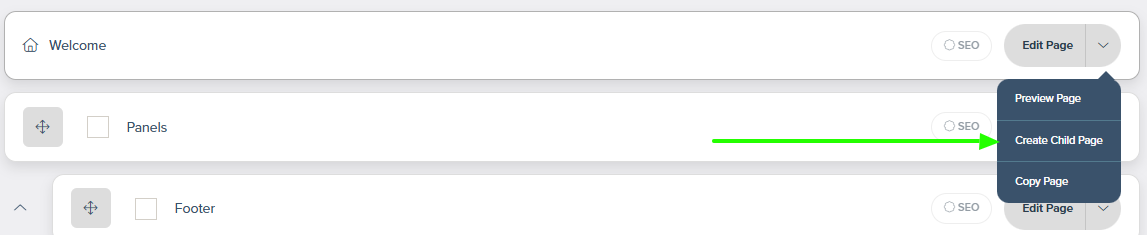
- To add a subpage of an existing page, go along side the title of your page to the ARROW next to Edit Page, select "Create Child Page"
- Click [Create New Section] - select how many blocks you would like to start with
- Enter content and press submit
- Once you are happy with your page, you can create a link to it by going to the Menu Section in the main menu.

Comments
0 comments
Please sign in to leave a comment.