
We’ve been hard at work bringing new features and improvements to Composer 2 this month, see below for a list of changes we’ve just released:
Card Flip Widget Animations
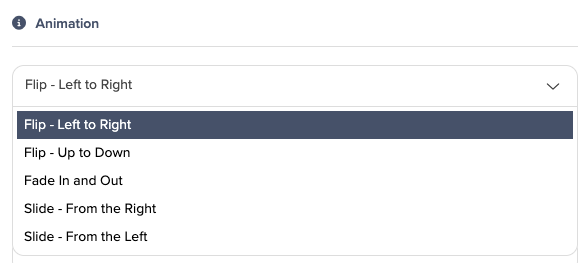
The Card Flip widget now includes an animation selector, allowing you to choose from multiple flip animation styles for each card. Accessible from the widget settings panel, the selector displays a preview of each available animation to help you pick the most suitable option for your needs.
You can see some live examples here!
Icons and Button Styles In Menus
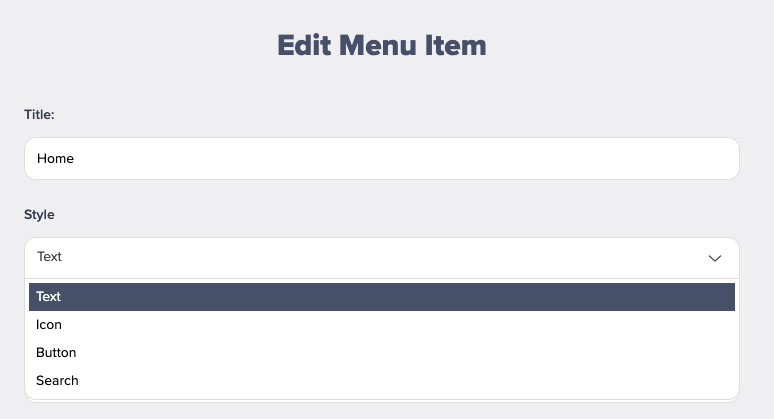
You can now choose for menu items to simply be displayed as an icon, or if using buttons, you now have access to all button styles when placing them in your menu!
Line Break Control Between Speaker Job Title and Company Name
You can now manage the display of speaker information by toggling a line break between the job title and company name. This allows you to control whether the job title and company name appear together on a single line or as separate lines in speaker profiles.
Scrollbar Styling Updated
Scrollbar thickness is now reduced across the application, providing a slimmer appearance that takes up less space on the screen. This adjustment addresses previously reported issues with scrollbars appearing overly large in certain views.
Exhibitor List Border Display Update
Exhibitor cards that are tagged as featured, new, or sponsored no longer display a black border when their corresponding labels are turned off. You will only see a border if the relevant status label is visible on the exhibitor card.
WeChat Social Media Icon
You can now display WeChat in the social media widget.
Video Controls for Hero Videos
You can now display standard video controls such as play, pause, and volume on hero videos. When enabled, viewers see a control bar overlay on the video, allowing them to interact with playback as needed.
Search on Mobile Header
You can now add a search icon to the header on mobile.
Comments
0 comments
Article is closed for comments.